Yours, on your machine
Entries are plain markdown files in a folder you own. No account, no company, no server but yours.
A private, self-hosted journal. Speak or write in Greek or English; it keeps every word in plain files on your own machine, puts your life in order, and names what happened.
Entries are plain markdown files in a folder you own. No account, no company, no server but yours.
Record and it transcribes, word for word or tidied. The original stays beside the English.
Each entry carries when it happened, not when you typed it. A rough range is enough.
Gaslighting, DARVO, scapegoat, fawn, gray rock and more, each with a plain definition and your own sentence as proof.
Entries grouped into episodes and drafted into chapters. Every sentence cites the entry it came from.
Free cloud tiers, your own keys, or models on your own hardware. Local-only is enforced, not preferred.
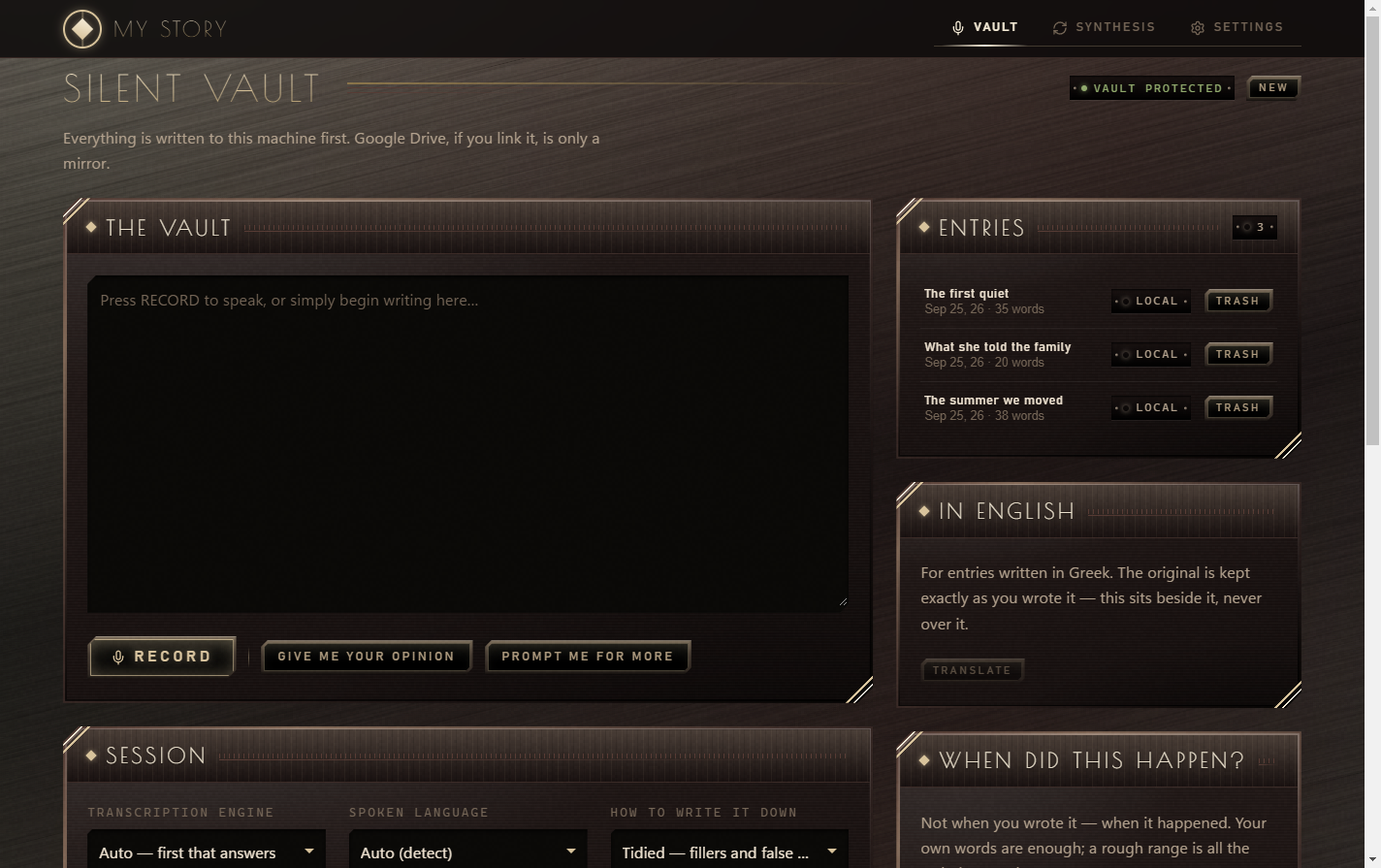
Press Record, or just write. Saved to your own disk as you go.
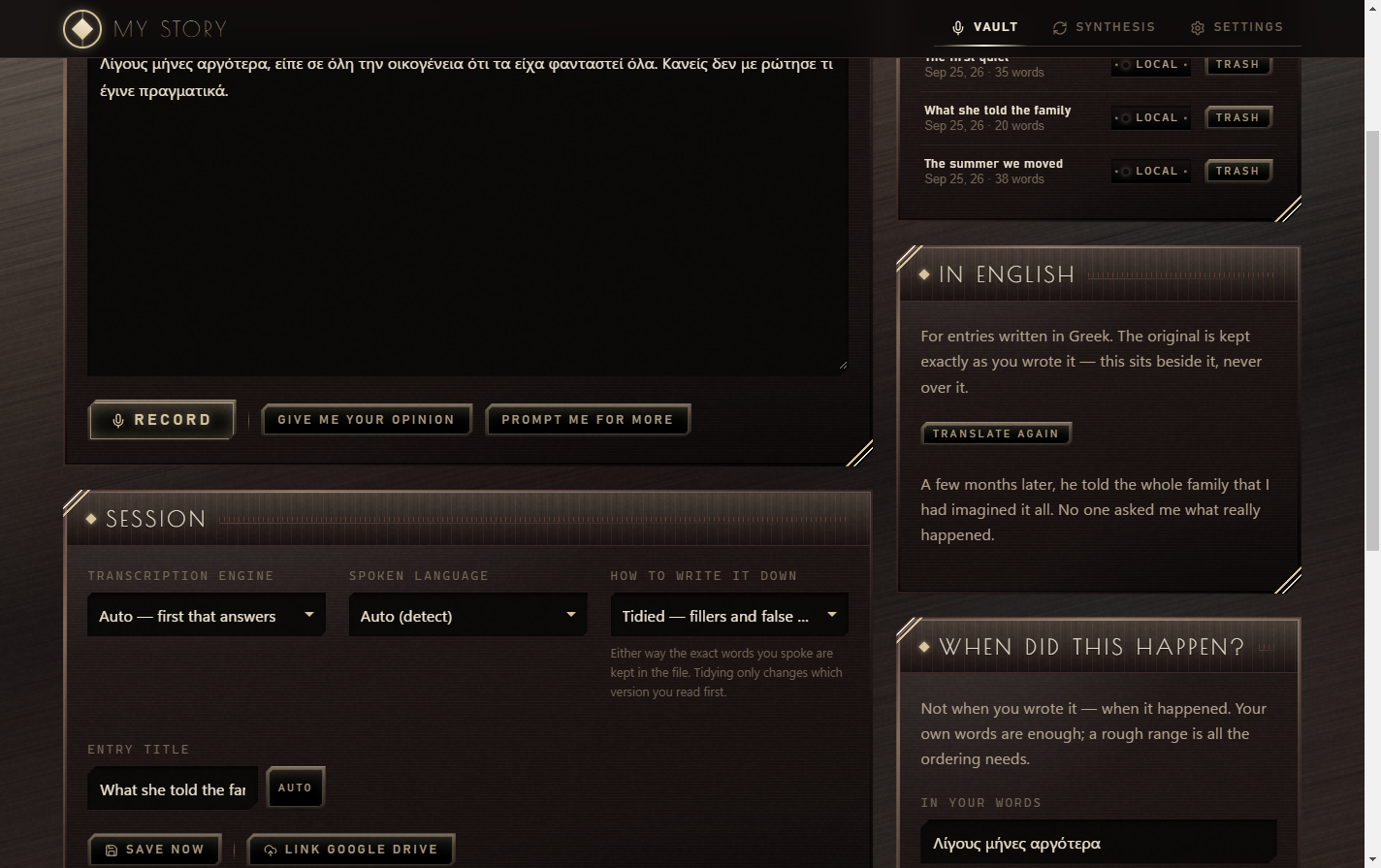
The original is never overwritten. The translation sits next to it.
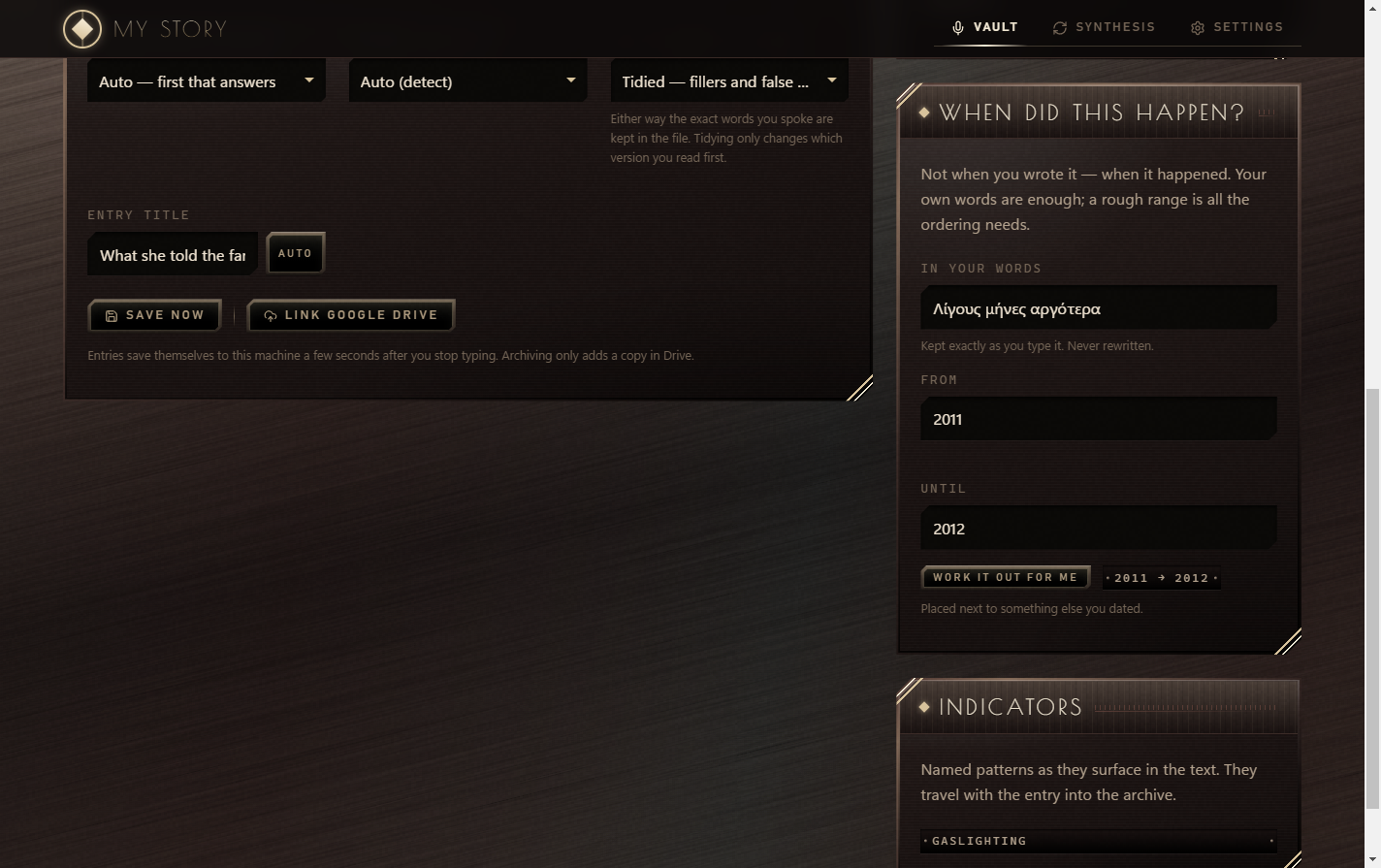
A named pattern, what it means, and the exact words it was found in.
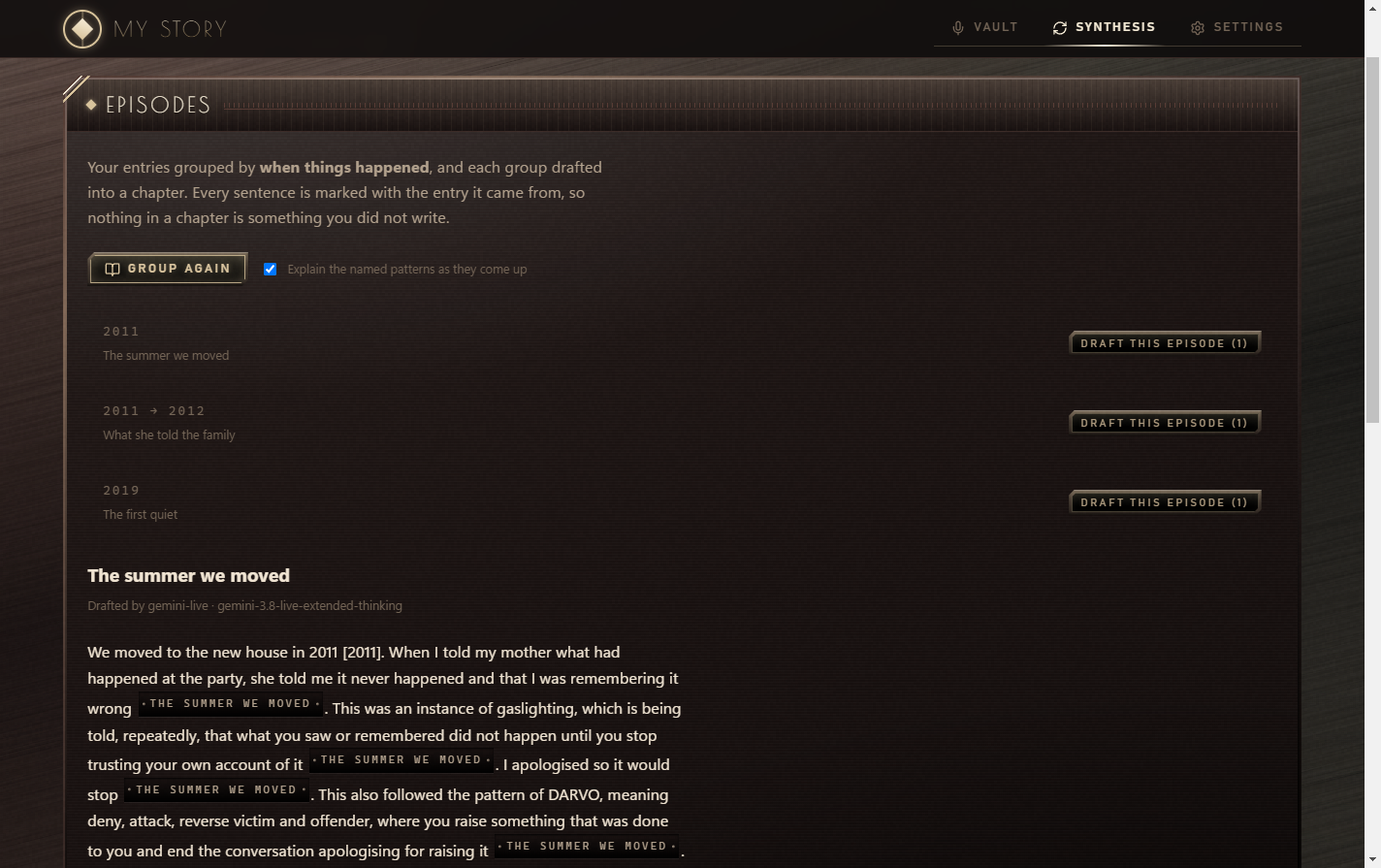
Entries grouped by when they happened, drafted into a chapter with citations.
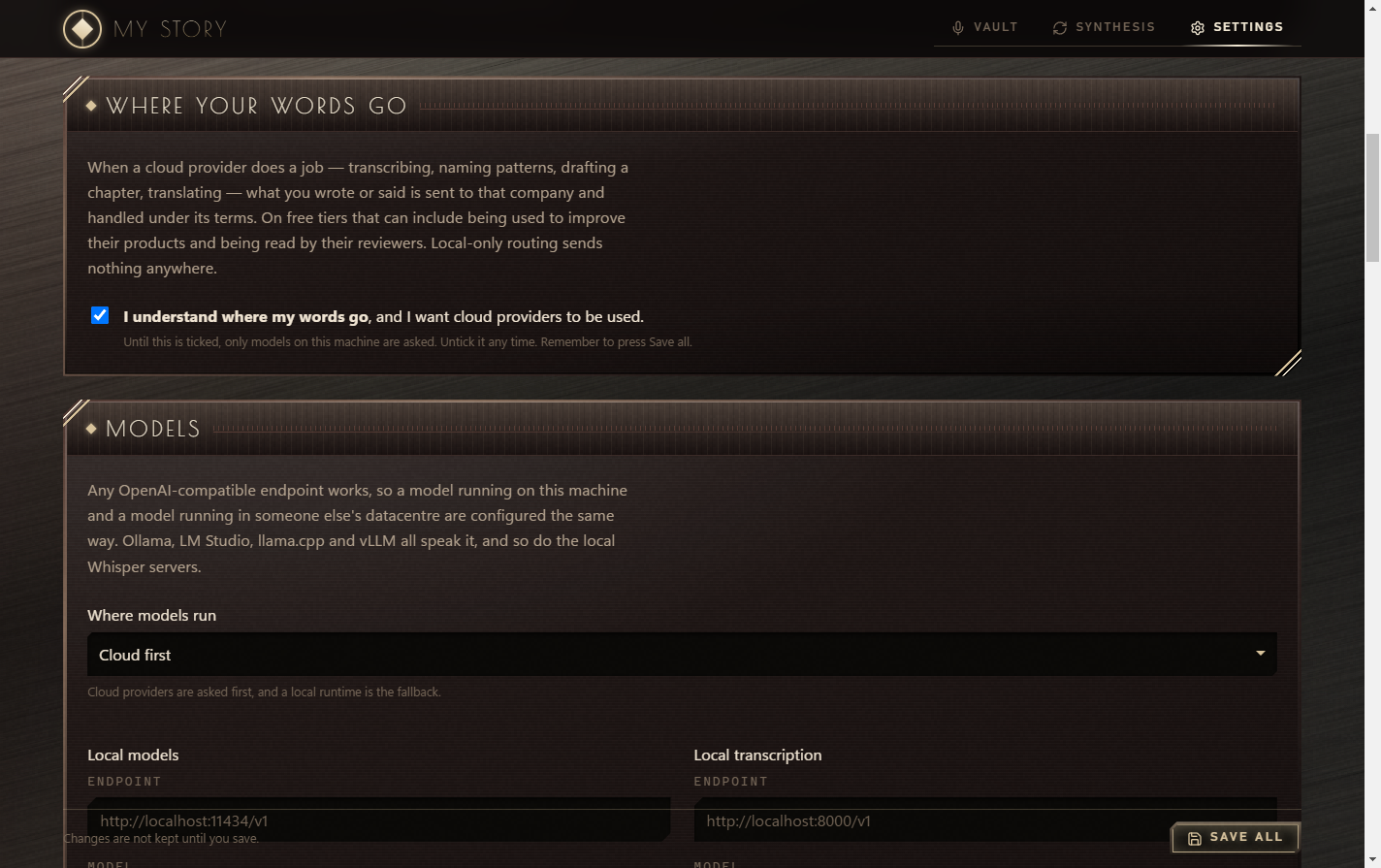
Nothing goes to a cloud provider until you tick this box.
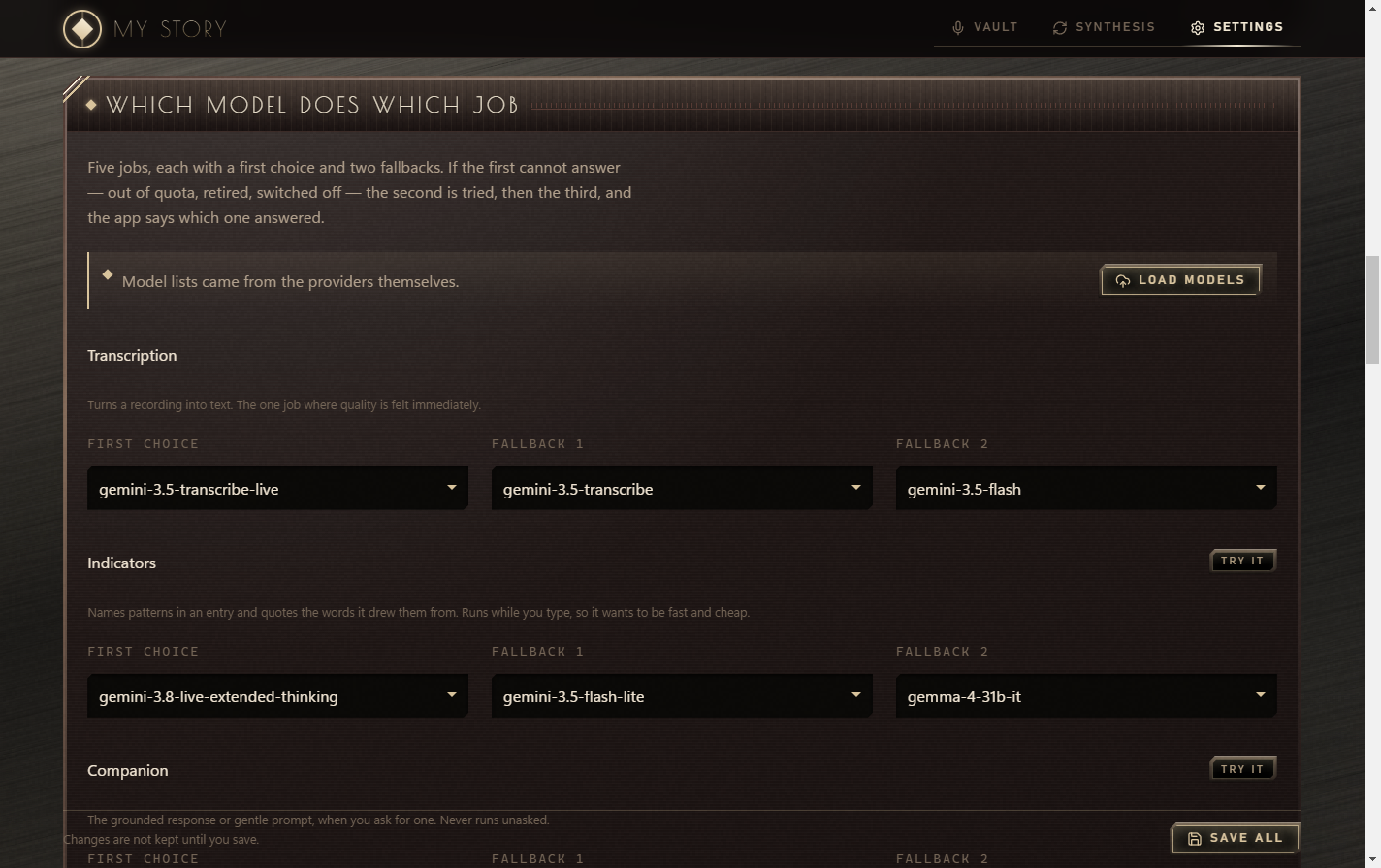
A first choice and two fallbacks for every job. The app says which one answered.
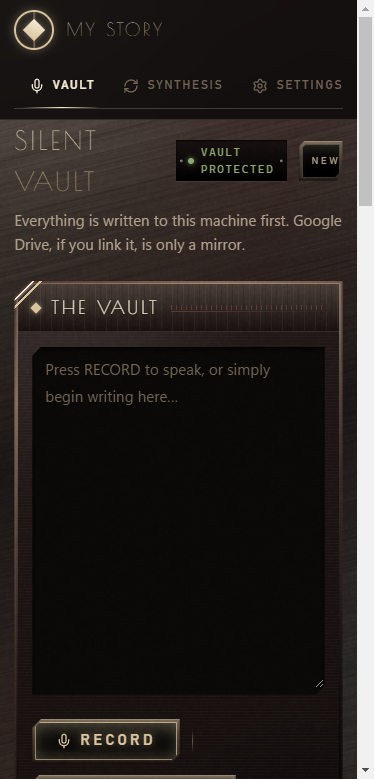
Over your own Tailscale network. Installs to the home screen.
My Story is one Node process: an Express server (server.ts, bundled to dist/server.cjs by esbuild) serving a React 19 + Vite client (src/App.tsx). No database. Entries are markdown files with front matter, written atomically (temp file + rename). Trash is a folder; nothing is ever deleted.
git clone https://github.com/Stravelakis/mystory.git
cd mystory
npm install
npm run dev          # http://localhost:38726
npm run desktop      # the Electron window
npm run build-exe    # NSIS installer + portable build in release/
Port 38726 was picked with the standards’ pick-port.mjs (5 digits, 10000–49151, no pattern, no clash). Override with PORT; bind with HOST (default is dual-stack, because localhost resolves to ::1 on Windows).
src/App.tsx  ──fetch /api──►  server.ts  (routes only)
                                 │
       ┌──────────┬──────────────┼──────────────┬─────────────┐
    vault.ts   providers.ts   vocabulary.ts   episodes.ts   translate.ts
    (disk)     (every model)  (35 terms)      (chapters)    (DeepL / model)
                  │
live.ts (Gemini Live over WebSocket)| Module | Owns |
|---|---|
providers.ts |
every model call: routing, fallbacks, token budgets, error explanations |
live.ts |
Gemini Live sessions: text jobs through speech, PCM16 conversion via ffmpeg |
vocabulary.ts |
the terms, the tagging prompt, and normalise(), which drops any label whose quote is not in the entry |
vault.ts |
entries, audio, .trash/, timeline order by when it happened |
episodes.ts |
groups dated entries by gap, drafts chapters, strips invented citations |
chapters.ts |
long chapters in parts: splits by an estimated token budget (EPISODE_PART_TOKENS, default 12000), saves each part to vault/chapters/ as it lands, resumes from the first missing part |
env.ts / auth.ts |
.env allow-list and writes; scrypt passcode and signed sessions |
maintenance.ts |
Settings → Advanced: Repair and Update (GitHub Releases API, SemVer) |
Six jobs: transcribe, when, indicators, companion, title, synthesis. Each has three slots, MODEL_<JOB>_1/_2/_3 = provider::model. A failure (quota, retired model, empty answer, or an answer that fails the job’s validate check) steps to the next slot. The error that surfaces leads with the first failure, in plain English.
Provider kinds: openai (any /v1 endpoint: Groq, Mistral, Cerebras, NVIDIA, OpenRouter, OmniRoute, local runtimes), gemini (Google SDK), gemini-live (bidiGenerateContent). A local model is just a provider with local: true.
Routing: cloud-first, local-first, local-only. Local-only is enforced twice: the chain excludes cloud providers, and middleware returns 409 on the Google routes.
Consent gate. Without CLOUD_CONSENT=yes, cloud providers (DeepL included) are filtered out of every chain. With no local provider left, the call fails with a message pointing at the checkbox.
gemini-3.8-live-extended-thinking has no TEXT output. The app asks for AUDIO with outputAudioTranscription, a “silent function” system instruction, and waits 1.5 s after turnComplete. An empty answer is retried once.gemini-3.5-transcribe-live returns inputTranscription; a 1008 close after the transcript is success.---
id: 20260816-142530-a3f
title: …
created: … # never rewritten
when: "the summer before I left school"
when_start: "2011"
when_end: "2011"
when_confidence: inferred # stated | anchored | inferred | unknown
found: [{"id":"gaslighting","evidence":"…exact quote…"}]
verbatim: "…" # the untidied transcript, if tidied
---Every variable is listed in .env.example. The desktop app keeps .env and the vault in %APPDATA% (MYSTORY_ENV_PATH, VAULT_DIR), and uninstalling leaves them in place.
npm run lint (tsc), npm test (vitest, no network) and npm run build run in CI on every push and PR, along with a gitleaks scan of the whole history. gitleaks also runs in the pre-commit hook (git config core.hooksPath githooks).
My Story is a journal that lives on your own computer. You talk or type, and it keeps what you said in ordinary text files in a folder you choose. Nobody hosts it for you and there is nothing to sign up for.
This is the part to understand before you start.
Set a passcode first (Settings → The lock). Your entries are plain files, so you can back them up by copying the folder. Settings → Advanced has Repair, which checks the app’s own files, and Update, which installs the newest release. Neither one touches your entries.
This is a journal, not a therapist. It describes behaviours and gives them their common names. It doesn’t diagnose anyone. If you are in crisis, please reach out to a person.
Imagine a diary that listens.
You press the big button and talk. The diary writes down every word, in Greek or English. It keeps the diary in a drawer in your house (your computer), not in somebody else’s house.
Then it helps in three ways:
One rule to know: to understand your voice, the diary can ask a helper. The helper can be a big company far away (fast, free, but it hears your words) or a helper that lives inside your own computer (nobody else hears anything). You choose. It won’t ask the far-away helper until you tick the box that says you understand.
Put a lock on it first. Settings → The lock.
npm install && npm run dev anywhere Node 20 runs. It opens at http://localhost:38726.